
Connect Your Business Tools
Pre-built integrations for Salesforce, HubSpot, Microsoft Teams, Google Workspace, Zendesk, and Zapier — plus open REST API and real-time webhooks for custom workflows.
Supercharge your workflows by connecting VirPhone to the applications your team uses every day. Eliminate manual data entry, improve response times, and provide your staff with complete customer context on every call.
Featured Integrations
Turn your phone system into an extension of your CRM and helpdesk.
Salesforce
Automatic screen pops, 1-click dialing, and seamless call logging directly into Salesforce records.
HubSpot
Sync contacts automatically and track every inbound/outbound call as an activity in HubSpot.
Microsoft Teams
Direct routing to power external calling natively inside your MS Teams desktop and mobile apps.
Google Workspace
Sync your Google Contacts and schedule video meetings directly from Google Calendar.
Microsoft 365
Active Directory sync for user provisioning and deep Outlook calendar presence integration.
Zendesk
Automatically create tickets for missed calls and voicemails, complete with transcriptions.
Zapier
Connect VirPhone events to 5,000+ apps. Trigger workflows based on calls, SMS, or voicemails.
REST API & Webhooks
Build bespoke integrations with our comprehensive documentation and real-time event webhooks.
Deep Workflow Automation
Context is everything. Give your team the data they need, instantly.
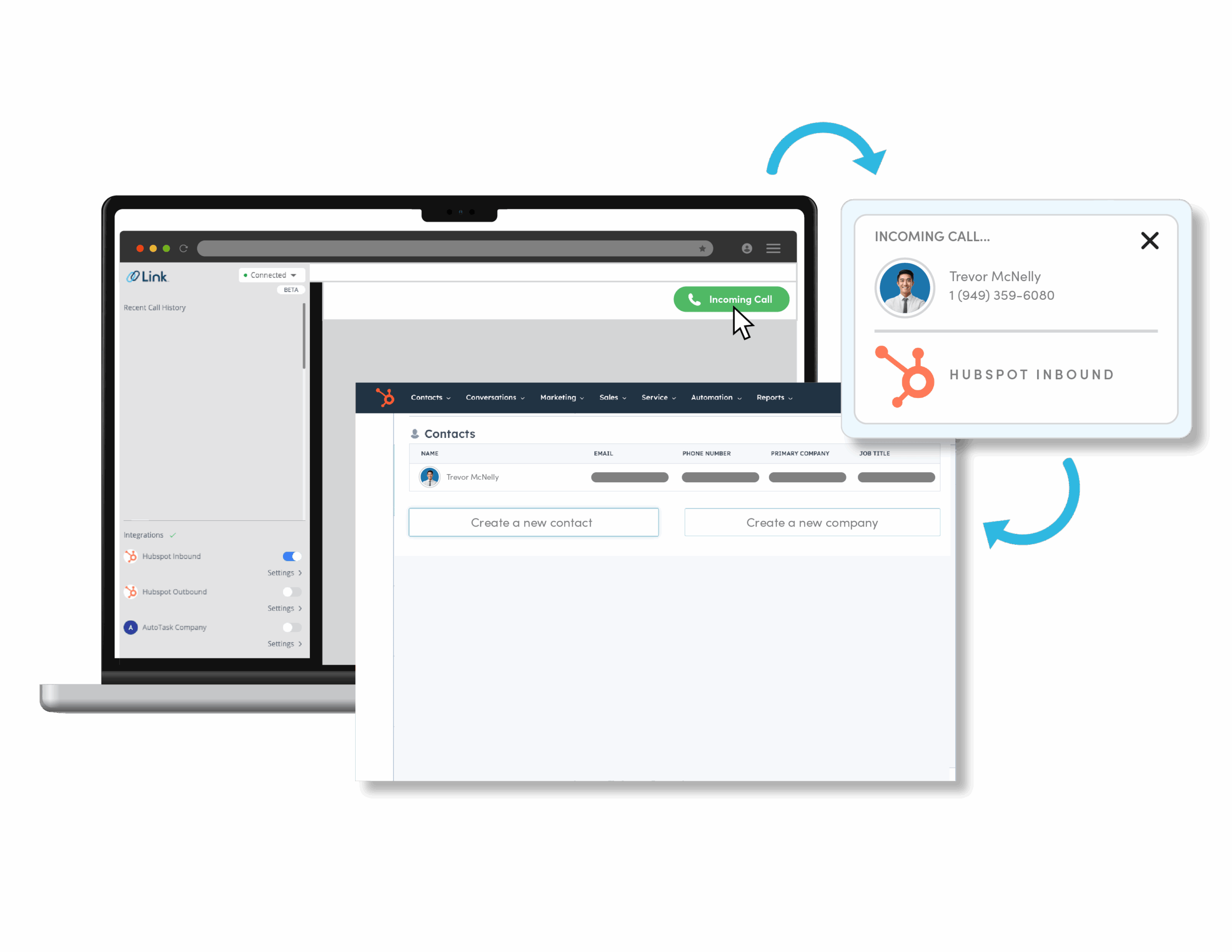
Salesforce CRM Screen Pops
When an inbound call rings, VirPhone automatically searches Salesforce and pops the caller's record on your agent's screen before they even say hello. After the call, notes and call recordings are automatically logged directly to the Contact or Lead activity timeline, saving your sales reps hours of manual data entry each week.
Microsoft Teams Direct Routing
Don't want to learn a new app? Connect VirPhone's enterprise-grade SIP trunks directly into your Microsoft Teams environment. Users can dial external phone numbers using the native Teams dialpad, while your organization benefits from our aggressive routing rates and enterprise-grade uptime guarantees.
REST API & Webhooks
Our developer-friendly REST API allows you to programmatically trigger calls, send SMS messages, provision users, and download call recordings. Set up Webhooks to push real-time event data (like a call ending or a voicemail being left) directly to your proprietary internal dashboards.
How Integration Setup Works
Start syncing data in minutes, not months.
Authenticate
Navigate to the Integrations tab in your admin portal and click connect on your desired app using OAuth 2.0.
Map Fields
Select which users should be synced and customize how call data maps to your CRM fields.
Go Live
Turn the integration on. Your team will immediately start seeing screen pops and automated logging.
Frequently Asked Questions
Related Solutions
Explore more features to enhance your communication stack.