
Work From Home Phone System for Remote Teams
Empower your distributed workforce with a seamless work from home phone system. Keep remote teams connected using our powerful mobile apps, softphone capabilities, and anywhere calling on any device.
Replace restrictive legacy hardware with agile softphone apps, business caller ID on personal devices, and unified team collaboration tools tailored for the modern hybrid workplace.
The Remote Work Communication Challenge
Standard phone systems break down when employees leave the building.
Personal Numbers Exposed
When remote employees use their personal cell phones for business calls, they surrender their privacy and dilute your brand's professional image. Client relationships become tied to personal numbers rather than the company.
Zero Team Visibility
Without physical line-of-sight, operators blindly transfer calls to colleagues who might be away from their desks, on another call, or out of office—resulting in frustrated customers bouncing into voicemails.
Residential Security Risks
Home networks are inherently insecure compared to corporate infrastructure. Transmitting sensitive corporate voice data and client information over consumer-grade routers creates severe compliance liabilities.
Remote-Ready Features
Tools designed specifically to bridge the gap between distributed employees.
Softphone Apps
Transform any iOS, Android, Windows, or Mac device into a fully functional business phone. Work seamlessly from anywhere without being tied to a physical desk.
Business Caller ID
Protect personal privacy. Make outbound calls from personal smartphones while displaying your verified corporate caller ID and business number to clients.
Hot Desking
Perfect for hybrid schedules. Employees can securely log into shared physical desk phones when visiting the corporate office, loading their profile instantly.
Live Presence
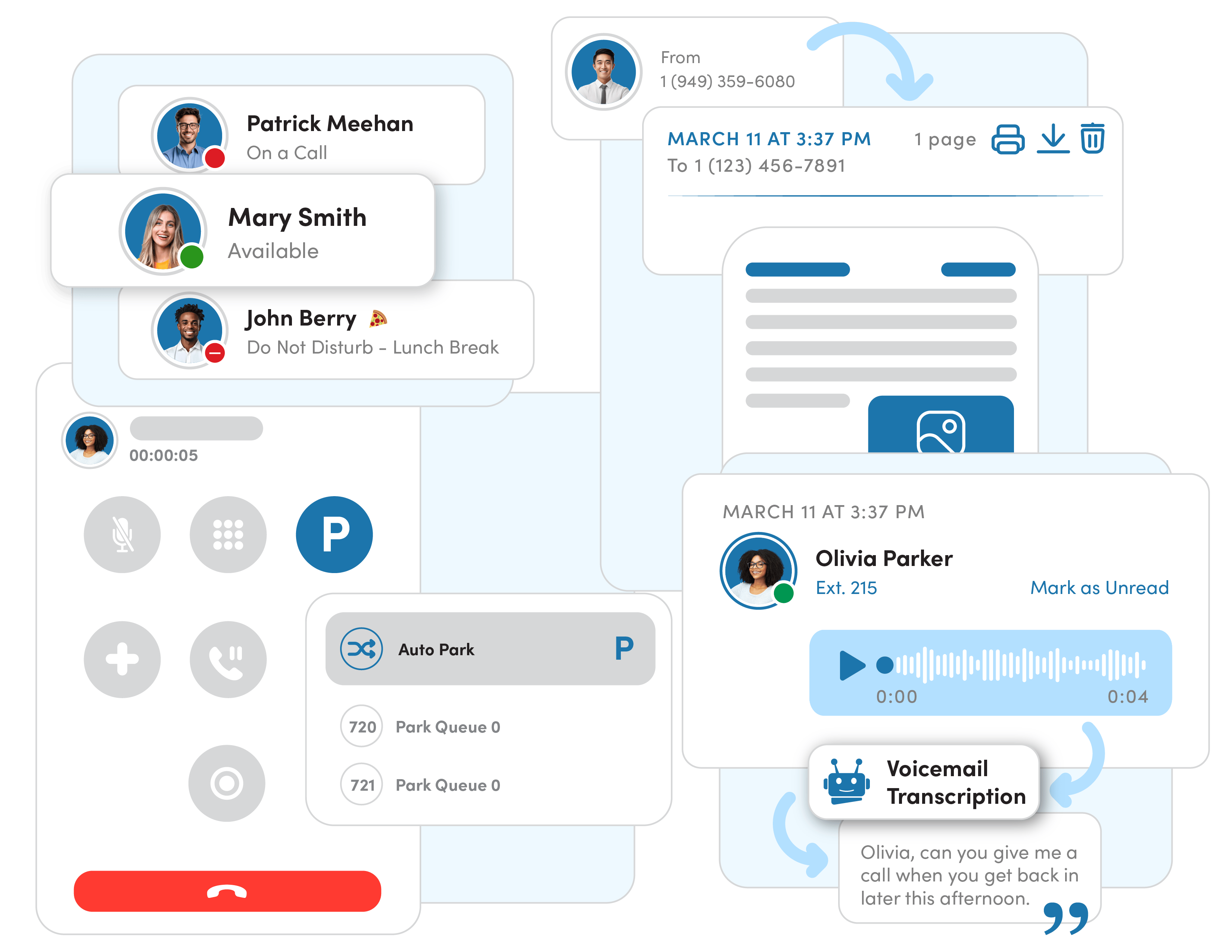
Stop guessing if colleagues are available. Real-time presence indicators show who is on a call, busy, or offline across the entire distributed organization.
HD Video Meetings
Replace fragmented third-party software with built-in, secure video conferencing. Host face-to-face remote collaboration sessions with a single click.
Team Messaging
Keep remote teams aligned with instant internal chat, file sharing, and project channels built directly into the unified communications application.
Call Flip
Seamlessly transition an active call from your desktop to your mobile app—without dropping the connection—when you need to step away from your desk.
Cloud Voicemail
Access voicemails visually through the app, or receive them as audio attachments via email with AI-powered transcriptions for silent reading during meetings.
Enterprise Security for Home Networks
Protect your communications regardless of where your team logs in.
Encrypted Voice Protocol
All voice traffic is secured end-to-end using TLS (Transport Layer Security) and SRTP (Secure Real-Time Transport Protocol), preventing eavesdropping on open home or public WiFi networks.
No VPN Required
Our architecture allows remote workers to connect securely to the cloud PBX directly over the internet. Eliminate the bottleneck and complexity of routing voice traffic through a corporate VPN.
Remote Device Management
Maintain absolute control over your environment. Administrators can instantly provision new users, push software updates remotely, or instantly wipe credentials if an employee device is lost or compromised.
The Perfect Hybrid Experience
Seamlessly transition between the living room and the boardroom.
Working From Home
On remote days, employees utilize the VirPhone Desktop app on their laptops paired with a professional headset, or simply use the mobile app on their smartphone. They have full access to corporate directories, ring groups, and call queues as if they were sitting at headquarters. Outbound calls proudly display the company's verified caller ID, ensuring consistent brand presentation.
Working From the Office
When visiting the corporate office, employees don't need dedicated desks. Using our Hot Desking feature, an employee simply walks up to any shared physical IP phone, enters their extension PIN, and the phone instantly reconfigures to their profile. Their exact routing rules, voicemail access, and caller ID immediately transfer to the physical handset for the duration of their visit.
Hardware for the Home Office
While our softphone apps eliminate the strict need for physical hardware, many executives and high-volume callers prefer a dedicated desk phone at home. VirPhone provides plug-and-play devices from Poly and Yealink that feature built-in Wi-Fi, eliminating the need to run messy ethernet cables through the house.


Frequently Asked Questions
Related Solutions
Explore more features to enhance your communication stack.